Upsell popups you design by chatting
PopupGenius reads the colors and fonts of your website, then builds the popup from numerous templates or from a sentence you type. On your website, the same editor captures the email, shows your code, and opens the page you choose.
Free to start. One popup, 500 views and 20 AI credits a month. See how it works
Your site
The same editor, one script tag.
- Create an account, register your site, and paste one script before the closing body tag.
- Chat, templates, multi-step flows, translations and your lead list are the same.
- You type the product. The button opens the page you entered.
- Add to cart and checkout triggers work after a one-time setup on the Site page. The checkout price stays a Shopify feature.
Shopify store
The offer lands in the cart.
- Install from the App Store and switch on the app embed in your theme. Theme files stay untouched.
- Pick products from your catalog. The button adds one, and checkout charges the price the popup showed, including Shop Pay.
- Add to cart and the start of checkout open the popup on their own.
- Analytics counts views, emails, adds to cart, purchases, and the revenue of those orders.
The offer shows up when someone is about to decide.
After an add to cart, on the way out, or a few seconds into the page. A page shows one popup: the newest published one that belongs there.
-
They just added something
On your site, one tap opens the product page you entered. On Shopify the popup offers the product you picked: a percent off, an amount off, or a specific price. One tap adds it, and checkout already has that price.
-
They are about to leave
Exit intent, a few seconds on the page, or a scroll down it. Ask for an email and show a code they can copy. On Shopify that signup also becomes a customer, subscribed to email. Everywhere else the address is on your Leads page, ready to download.
-
The first screen is the start
One popup can be an offer, then a follow-up, then a thank-you. You choose where each button goes. A No can close the popup, or open the next step. On a paid plan you can split traffic between two versions of that flow.
The parts you actually use.
The same editor on a website and on Shopify. A cart, a checkout price, and purchase numbers are the Shopify half.
-
It starts from your colors
PopupGenius reads the colors and fonts of the site address you register, or of your Shopify home page, and hands them to the AI. Later you can say “make the button navy” and the preview updates in the chat.
-
Numerous templates, then a conversation
Upsells, bundles, urgency, announcements, email capture, a back-in-stock ask, a gift finder. Apply one, save your own, or start from a blank popup and describe it. The Settings tab is there when you want the exact field.
-
It opens at a moment you pick
Add to cart, exit intent, a timer, scroll depth, the start of checkout, or an event your site fires. Once a visit, or once every few days. A teaser bubble can sit in the corner until they click it.
-
Several screens, and a test
Chain an offer, a follow-up and a thank-you on the Workflow tab, and decide where each button goes. Paid plans add variants and split the traffic. Shopify compares purchases and revenue. A website compares views and emails.
-
The words, in their language
Translate every line: headlines, buttons, the countdown, the teaser, the form, including a popup the AI built from scratch. Auto-translate fills the empty rows. Prices and discount codes stay as they are. Paid plans.
-
Your pictures, and ideas from your catalog
Upload images, crop them, or have the AI draw one. That drawing costs 1 AI credit. “Popups from my products” drafts ideas from the catalog: on Shopify an upsell, a bundle, a product link or new arrivals; on a website a product link, new arrivals, or a lead magnet from a page you already published.
-

Overview. One upsell popup, rendered for desktop and mobile from the same design — no separate mobile build. -

AI chat. Ask for another product, a bigger button, a countdown — the AI rewrites the design and the preview updates as you chat. -

Templates. Start from numerous built-in templates — upsells, cart-savers, email capture, restock alerts — then make any of them yours by chatting. -

Triggers. Fire on add to cart, exit intent, a timer, scroll depth or the start of checkout — then pick which products or collections it shows on and how often. -

A/B tests. Split live traffic between two versions and compare views, adds to cart, purchases and attributed revenue side by side. Example dashboard — sample data -

Analytics. Views, emails and adds to cart. On Shopify, purchases and the revenue of the orders that followed. Example dashboard — sample data -
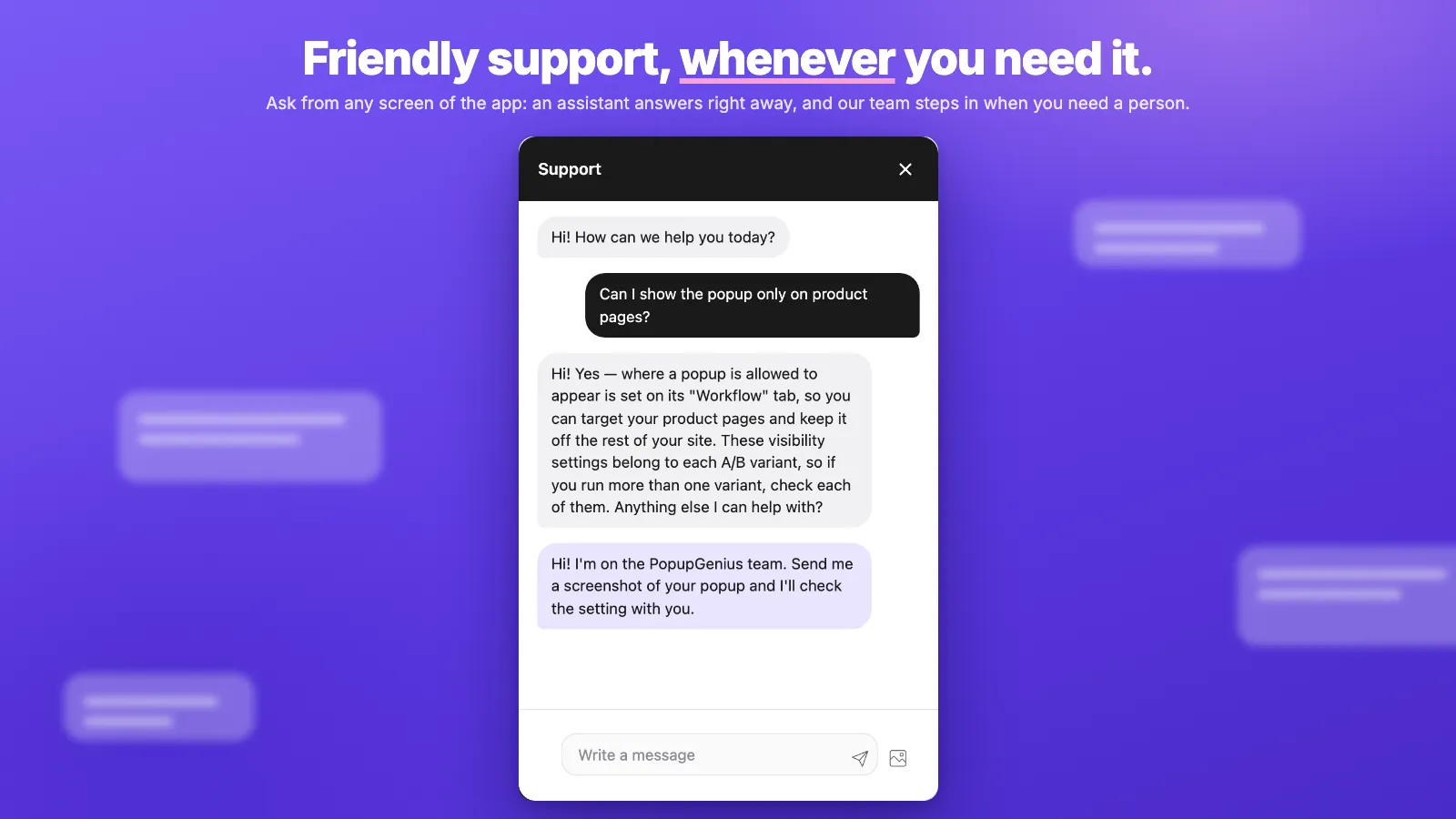
Support. Ask from any screen of the app: an assistant answers right away, and the people building PopupGenius step in when you need them.
The offers you already run, in one editor.
Numerous templates ship with PopupGenius. You build, edit and trigger each of them the same way, on your own site or on Shopify.
-
Upsells
Offer the product you pick the moment something lands in the cart. On your site, that tap opens the page you entered. On Shopify it is added at the price the popup shows.
-
The way out
Catch the move to leave with the product or the discount code you chose.
-
Email for a code
An address in exchange for a code they can copy. On Shopify it also becomes a customer, subscribed to email, with your tags.
-
Back in stock
Collect the address on the sold-out product. You send the restock mail from the tool you already use.
-
Gift finder
A question or two, then the products you picked for that answer.
On a website, signups stay in PopupGenius. Download them as a CSV, or send each new one to another app. You create the discount code yourself, in Shopify or in your shop.
On the site this afternoon.
- 01
Put it on the site
Your own site: create an account, save your site address, and paste one script tag before the closing body tag. Shopify: install the app and turn on the PopupGenius app embed in the theme editor.
- 02
Describe it, or pick a template
The first preview already uses your colors and fonts. Then type the change: swap the product, add a countdown, move the button. The preview updates as you chat. On a website you type its name, price and page. On Shopify the product comes from your catalog.
- 03
Publish
Shoppers see it on the next page load. When you edit a live popup later, they keep seeing the published version until you click Update.
The editor keeps getting more useful.
-
A No can open the next step
When a decline button goes to another step, the corner close and a click outside follow it. When every decline ends the flow, they still close the popup.
-
Every line can be translated
Headings, small labels, body text, product names, the countdown and the teaser, including a popup the AI built from scratch. On a website, shoppers see the language of the page.
-
A place for your images
Upload them, add one from a link, crop, or have the AI draw a new one for 1 credit. Then pick it in the editor instead of pasting a link you have to keep alive.
-
A live popup stays live while you edit
Text, settings, chat, templates and the workflow save as a draft. Shoppers keep seeing the published version until you click Update.
It should not surprise the site.
Speed, theme files, and what happens when you leave. The answers, for your own site and for a Shopify store.
-
It loads after the page
The storefront script is about 35 KB gzipped and loads deferred, so the page renders first.
-
Shopify: no theme edits
PopupGenius ships as a theme app extension. It adds nothing to your theme files, and it leaves when you uninstall. It needs an Online Store 2.0 theme.
-
A website is one script tag
Paste it once, in the footer, before the closing body tag. Remove that line and the popup is gone. You never re-copy it after editing a popup.
-
Leads you can delete
Captured addresses are yours. On Shopify we handle the three mandatory privacy webhooks. Old lead data is purged on a retention schedule. Deleting a website account cancels its subscription first.
Each popup has its own on/off switch. On Shopify you can also switch the app embed off in the theme editor and leave the app installed.
Start free. Pay when the popup has a job.
The same four plans on a website and on Shopify. Paid plans add unlimited popups, steps and A/B variants, translations, and they take the PopupGenius badge off. On Shopify they also let you limit a popup by the cart total or by what is already in the cart.
Start on the Free plan. No card, and it does not expire.
1 popup with 1 step, 20 AI credits and 500 popup views a month, with a small PopupGenius badge on the popup. Upgrade when you need more.
Starter
For a store publishing its first real popup.
Then buy this plan inside the app
Billed through Shopify
- Unlimited popups
- Unlimited steps and A/B variants
- Translations
- PopupGenius badge removed
Growth
For a store with more than one offer to test.
Then buy this plan inside the app
Billed through Shopify
- Unlimited popups
- Unlimited steps and A/B variants
- Translations
- PopupGenius badge removed
Pro
For a site that shows popups all month.
Then buy this plan inside the app
Billed through Shopify
- Unlimited popups
- Unlimited steps and A/B variants
- Translations
- PopupGenius badge removed
A website account has no trial. The free plan is how you try it. Paid plans are billed by card from the day you buy them, and you cancel on the Plan page. Prices are in USD.
Every Shopify paid plan includes a 7-day free trial. Cancel from your Shopify admin. Prices are in USD.
On a paid plan, popups keep showing a little past the monthly views, up to 20% over, and then pause until the billing period resets.
The same popup, on a site that is not Shopify.
Point it at a guide on your site and it drafts a one-screen popup that offers that page for an email. Or build an upsell whose button opens the product. Each account is one site.
- 1
Create a free account
An email and a password. The free plan is already on the account.
- 2
Paste one script tag
WooCommerce, WordPress, Webflow, or a site you built. Put it in the footer, before the closing body tag.
- 3
Publish from the same editor
A template or a sentence. Your site’s colors and fonts are already in the first draft.
You get
- AI design, numerous templates, multi-step flows and A/B tests
- Email capture, a discount code, and a countdown
- Translations, a media library, and URL rules
- A lead list you can download, and a draft popup from one page of your site
Shopify adds
- A button that adds the product to the cart
- A checkout price that matches the popup
- Purchases and revenue on the analytics page
- Product pages, collections, and cart conditions
Free plan included. Paid plans are chosen inside the app and billed by card.
Comparing popup tools?
Side-by-side pages with a source for every fact about the other tool, and a plain answer on when it is the better choice.
- PopupGenius vs Privy Privy sends email and SMS as well. Read this if your email already runs somewhere else and you only need the popups. Read the comparison
- PopupGenius vs OptinMonster The plans side by side: the free plan, the monthly price, and which plan includes exit intent. Read the comparison
- PopupGenius vs Klaviyo Keep Klaviyo for email. Add PopupGenius for Shopify upsell popups that put the product in the cart. Read the comparison
- PopupGenius vs Justuno Both draft popups with AI. See how the price, the free plan and the extras compare. Read the comparison
Questions, answered.
How do I add PopupGenius to my website?
Do I need to design or write code?
Where do the emails I collect go?
Where does the discount code come from?
What do I get before I pay?
Can I edit a popup that is already live?
Will it slow my site down?
How do I cancel?
I have a Shopify store. What is different?
Didn't find it here?
Your own site, or the Shopify App Store
Your first popup is a few minutes away.
Start from a template or describe the offer. The colors and fonts are already yours. Publish, and shoppers see it on the next page load.
- Free plan on a website and on Shopify. No card, and it does not expire
- A website account has no trial. Cancel on the Plan page, or delete the account and the subscription ends first
- Shopify paid plans include a 7-day trial. Cancel from your Shopify admin
- On a website, remove the script tag. Uninstalling on Shopify leaves no theme code